Launcher
Install Prism Launcher
Download Prism Launcher 11.0.3 , open it, and sign in with the Microsoft account that owns Minecraft Java Edition.
A fresh server report is not available. This does not necessarily mean the server is offline.
Here's a quick guide I made for getting the mods installed and joining the server. It should only take a few minutes.
Allow multiple downloads if your browser asks. The files start one after another.
Simple Voice Chat is included in Valxwmodsp2.zip. If you already installed the older pack, download the updated part 2 and extract its JAR files into your Prism mods folder. The Proton mirror may still have the older files.
You need Minecraft Java Edition, a Microsoft account, and about 10 minutes.
Get Prism LauncherA few aren't absolutely necessary to connect, but the collection mixes server dependencies with optimization, maps, and other useful features. Using both parts gives you the setup the server was meant to have.
The website has a file-size limit, so I had to split them. Extract the JAR files from both ZIPs into the same Prism Launcher mods folder.
Do these in order and check them off as you go.
Download Prism Launcher 11.0.3 , open it, and sign in with the Microsoft account that owns Minecraft Java Edition.
Click Add Instance, choose Minecraft 26.2, select Fabric, then use loader 0.19.3. Name it anything you like.
Use the download button. It downloads Valxwmods.zip first and Valxwmodsp2.zip second. Install the contents of both. Simple Voice Chat is included in part 2.
Right-click your new instance → Edit → Mods → View Folder. Leave this folder open.
Open both ZIPs and copy every .jar file into the same mods folder. Do not place either ZIP itself in the mods folder.
Launch the instance. In Minecraft, choose Multiplayer → Add Server, enter mc.valxw.org, then join.
These are from Prism's guide. Yours might look a little different depending on your computer.
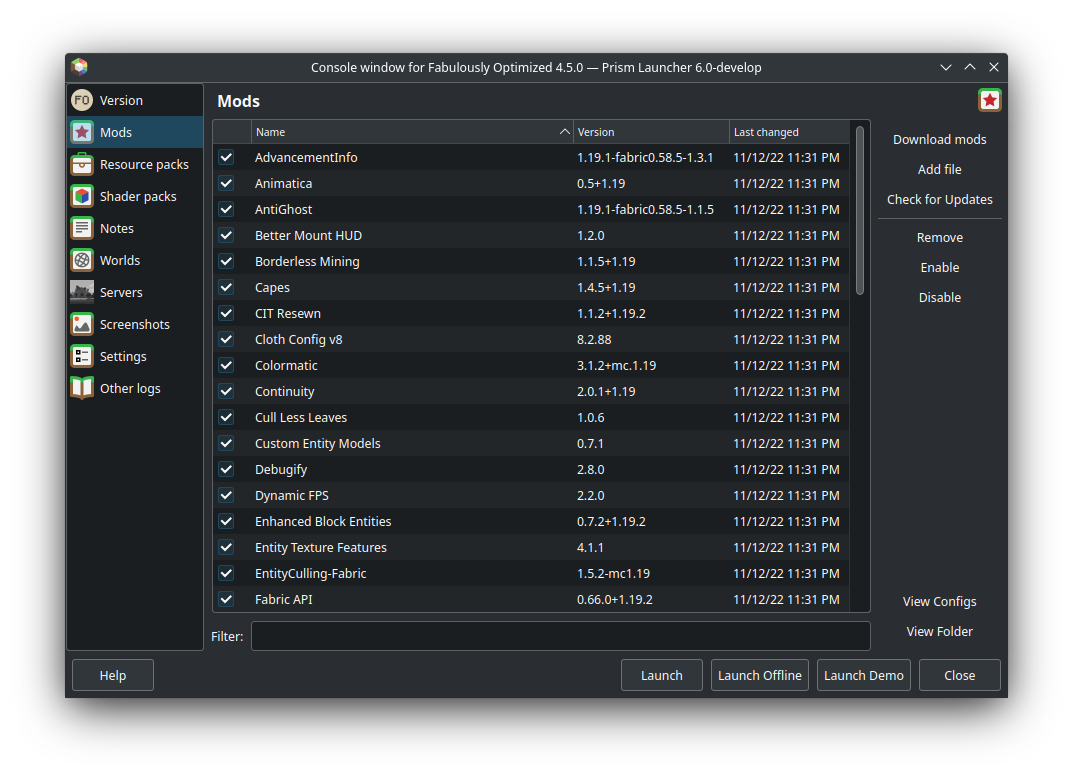 04
04Edit Instance → Mods → View Folder. This is where the extracted JAR files go.
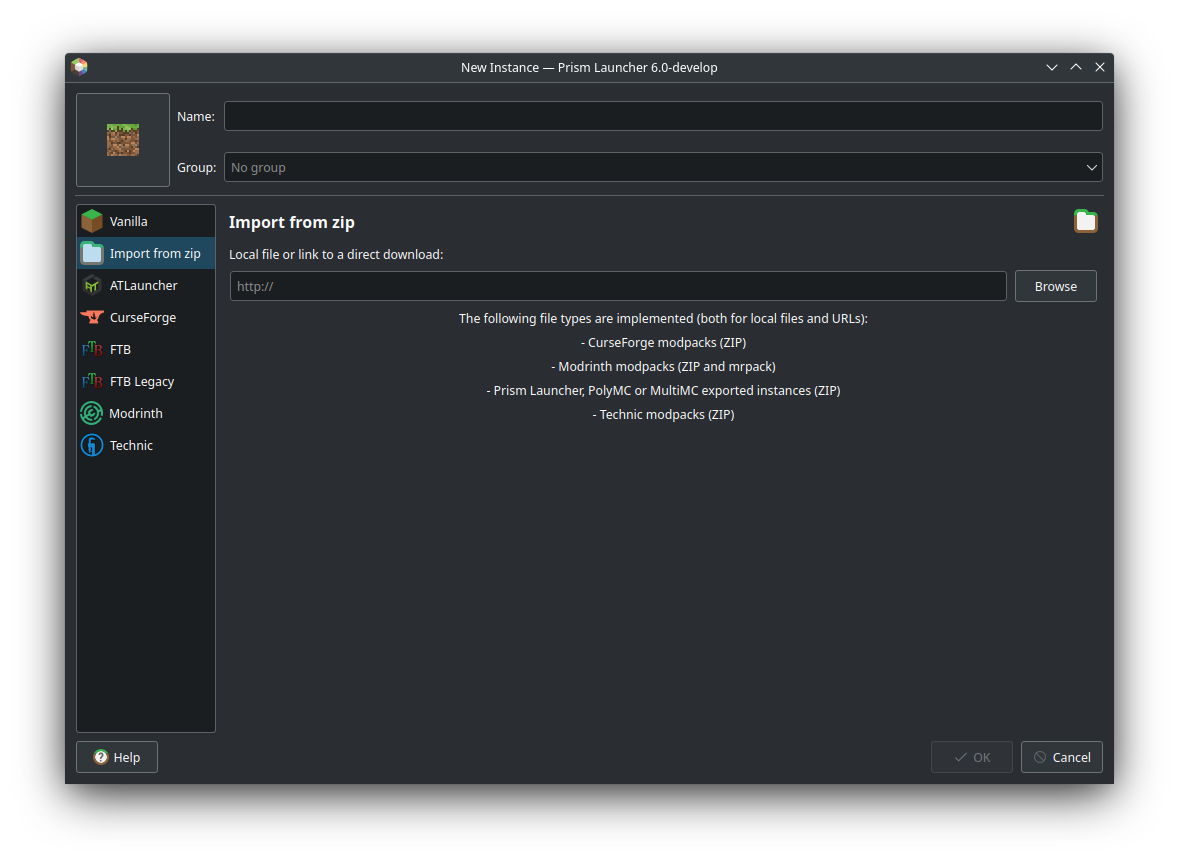 TIP
TIPImport is for complete Prism modpacks. Valxwmods.zip is a mod-file bundle, so follow steps 4–5 instead.
It's usually the wrong version or the ZIP was put in the mods folder without extracting it.
Recheck all three numbers: Minecraft 26.2, Fabric Loader 0.19.3, and Prism Launcher 11.0.3. Also remove older duplicate versions of mods.
Extract the ZIP first. The Mods list should contain many individual .jar files—not Valxwmods.zip.
Make sure every JAR from the bundle was copied. Download the bundle again if the extraction was interrupted.
First confirm the modded instance reaches the title screen. Then add mc.valxw.org in Multiplayer. If it still fails, the server may be offline or its public port may have changed.